
Turn tutorials into checklists
Convert selected instructions from webpages into clear step-by-step tasks.
Your place, pinned
Turn selected web instructions into clear step-by-step checklists and keep your progress visible in Chrome’s Side Panel.
Three simple steps
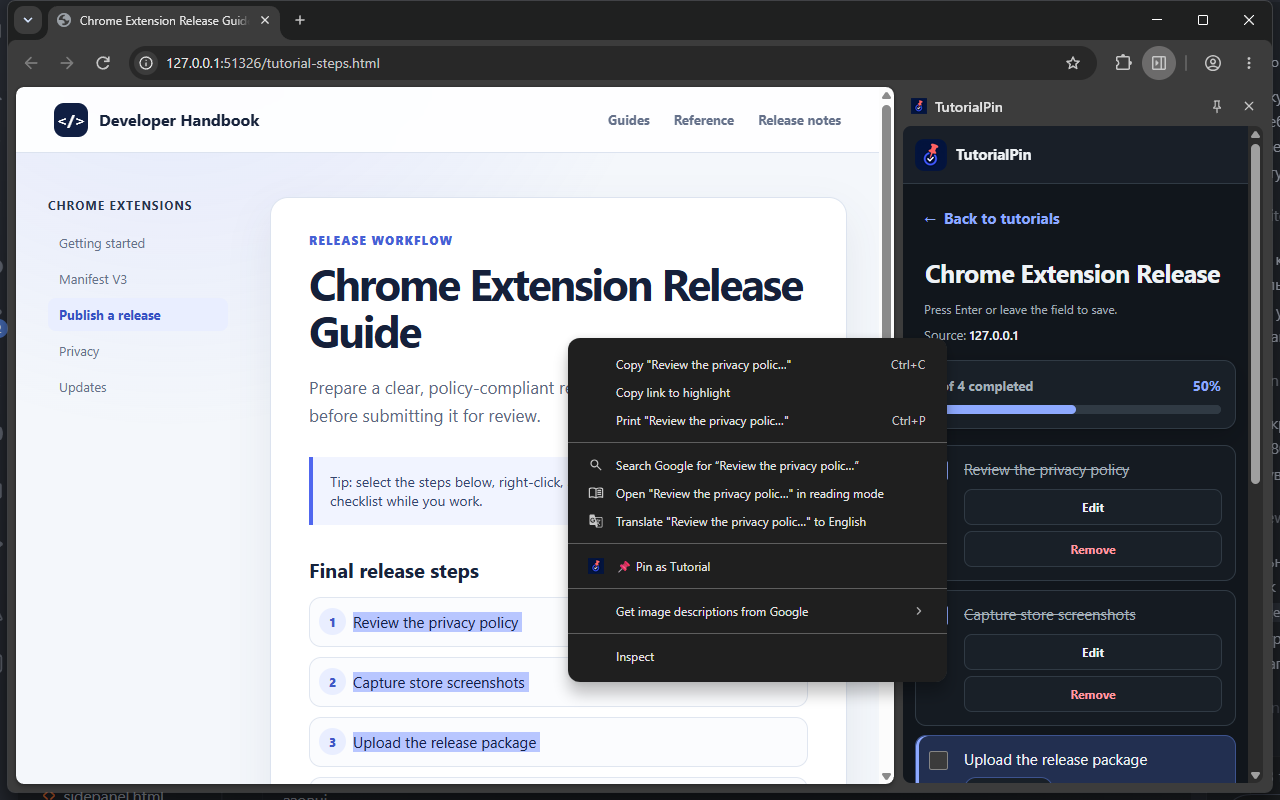
Select useful steps or instructions on any webpage.
Right-click the selected text and choose “Pin as Tutorial”.
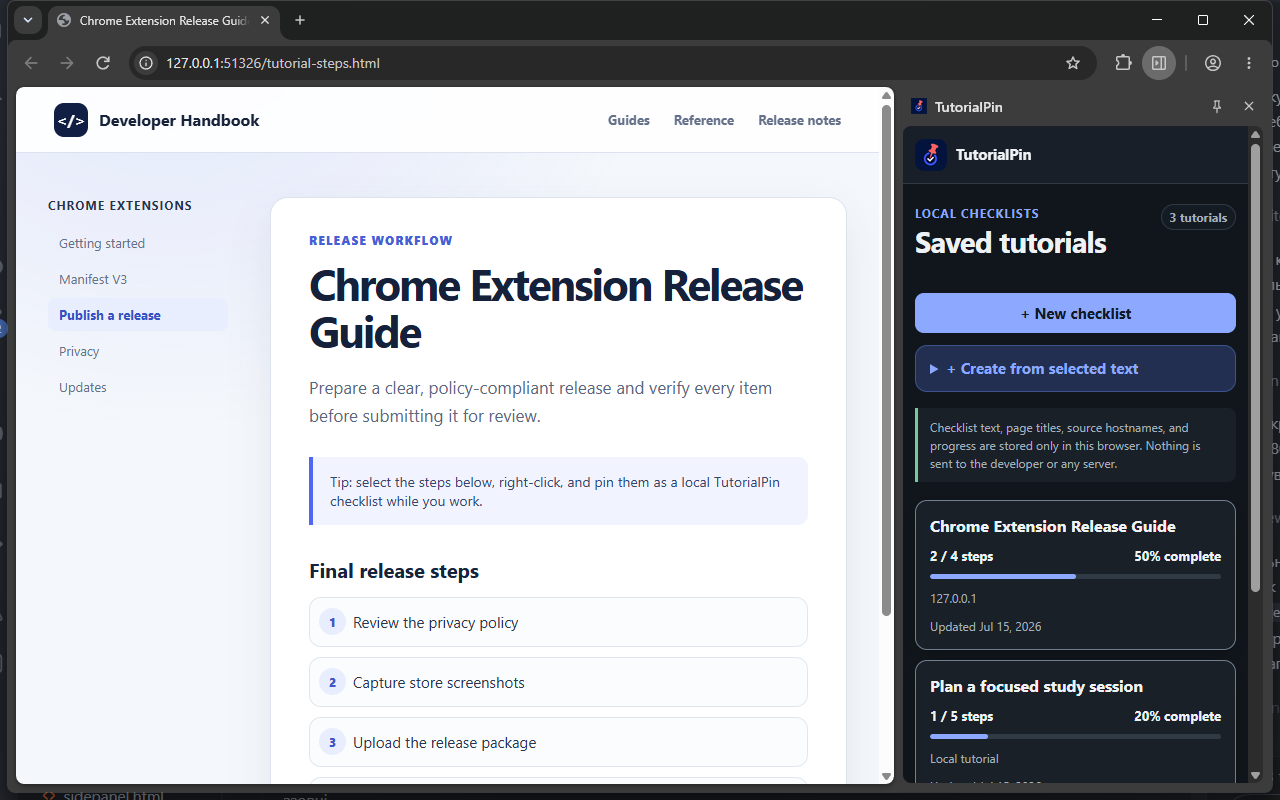
Keep it visible in Chrome’s Side Panel and mark steps complete as you work.
A calmer way to follow instructions
Convert selected instructions from webpages into clear step-by-step tasks.
Keep your checklist visible while you work and instantly see what comes next.
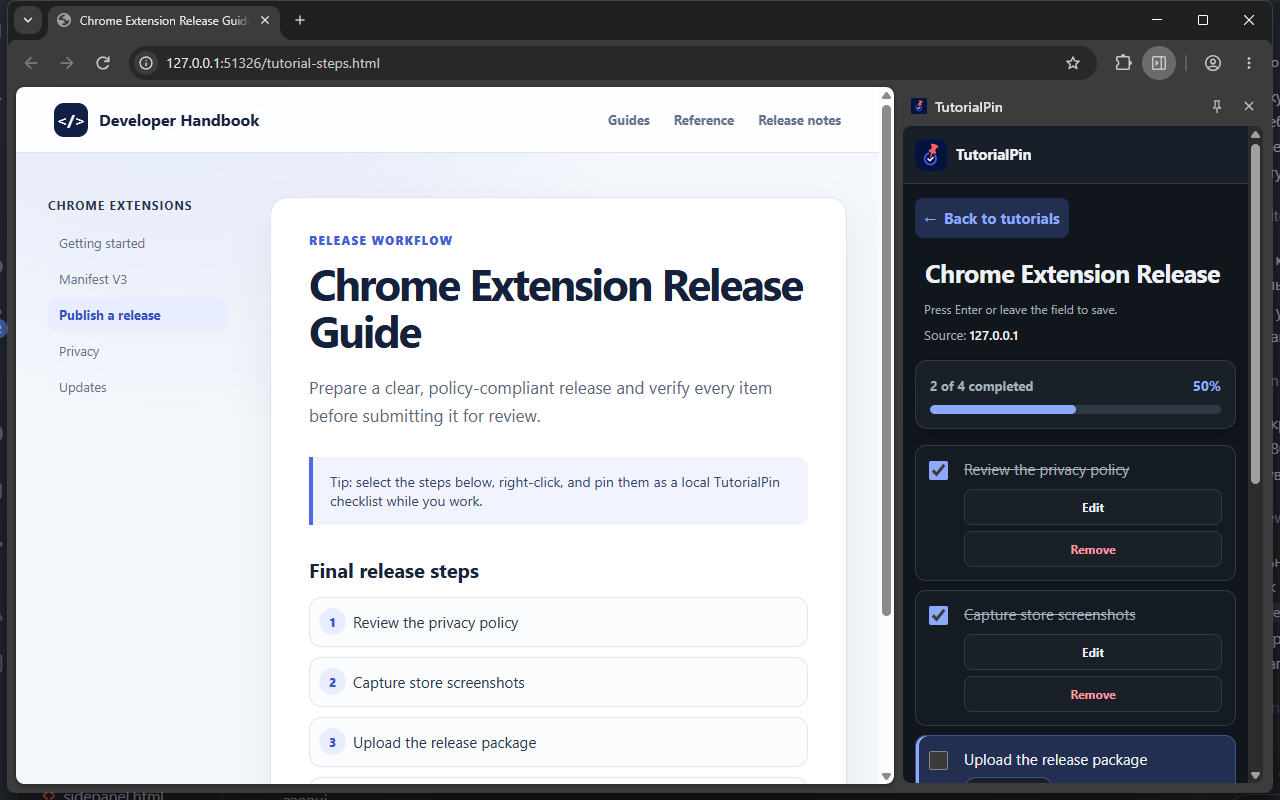
Complete steps one by one and see your progress update as you work.
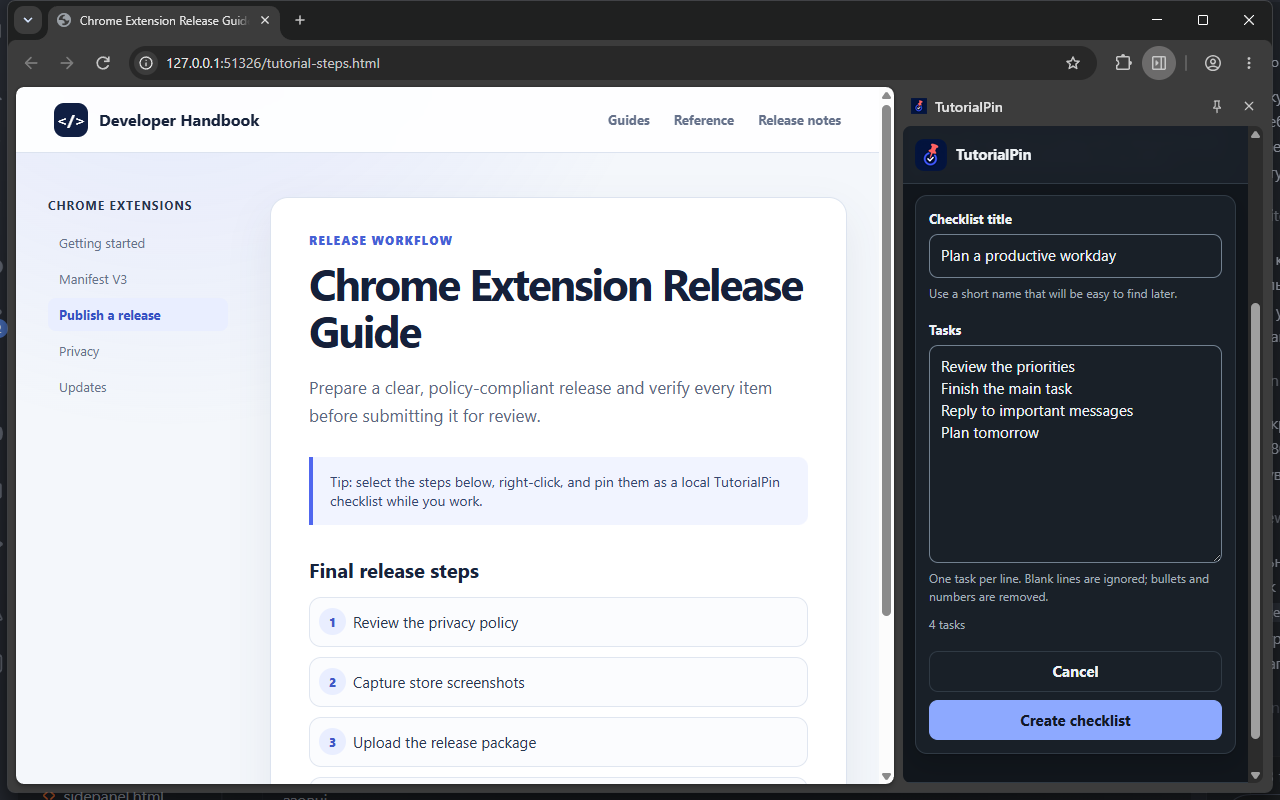
Build manual checklists for projects, study plans, setup guides, and recurring tasks.
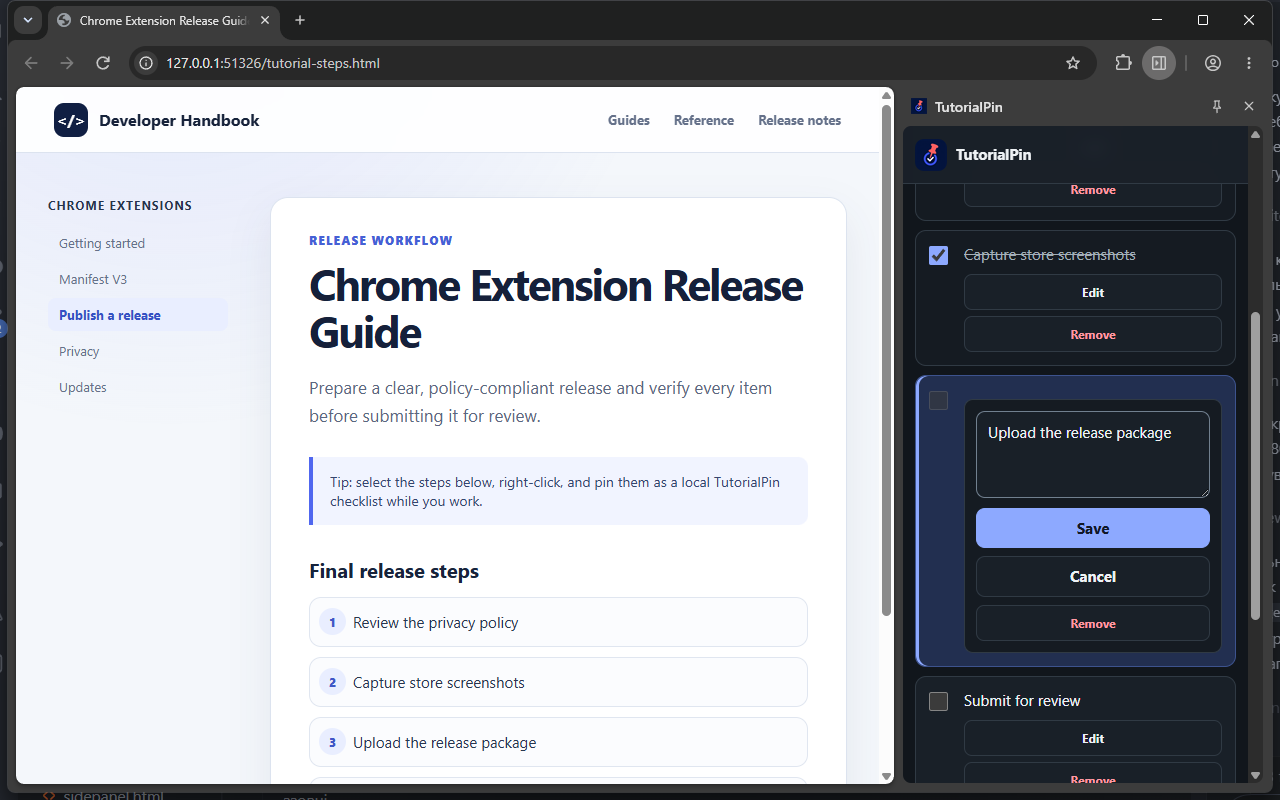
Real extension interface
Privacy without the ceremony
TutorialPin does not require an account.
Checklist text, page titles, source information, timestamps, and progress are stored locally in your browser. No cloud account is required.
Read the privacy detailsYour checklists remain in your current Chrome browser profile.
Install the extension and start without registration.
Your saved checklists remain available without an internet connection.
No ads, social feed, or cloud workspace to manage.
Useful wherever steps matter
Questions, answered
No. TutorialPin works without an account.
Your checklist data is stored locally in your browser.
Yes. After installation, TutorialPin can be used without an internet connection.
Yes. You can create manual checklists in addition to turning selected web instructions into steps.
Yes. You can add, edit, remove, and organise checklist items.
Yes. TutorialPin uses Chrome’s Side Panel so your checklist can remain visible while you work.
Turn instructions into a checklist and keep moving forward.